
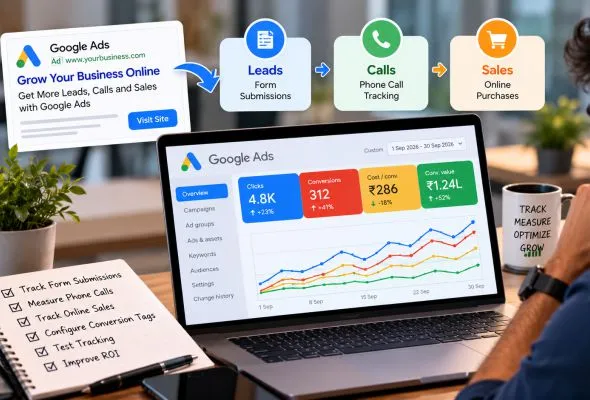
Let me guess how your week has gone.
You check your Google Ads dashboard in the morning. Clicks are up. Maybe it’s 40 today, maybe 90. You feel a little spark of hope. Then you check your phone. Nothing. You check your email. Nothing. By evening you’re wondering whether the whole thing is a scam and where your money went.
First, take a breath. You’re not doing something stupid, and you’re far from the only one. I’ve seen this happen to small shops, service businesses, and even well-run companies with decent budgets. And almost every time, it can be fixed.
So let’s work through it together, like we’re sitting at the same table with your laptop open.
First, understand what a click really means
A click means someone found your ad interesting enough to tap. That’s all. It doesn’t mean they want to buy, and it doesn’t mean they trust you.
An enquiry is a much bigger step. The person has to think, “Yes, I believe this business can help me, and I’m okay giving them my number.”
So when clicks happen without enquiries, something is going wrong in the gap between those two moments. Let’s find out what.
Are the right people clicking?
Here’s a five-minute job that surprises almost everyone.
Go to your Google Ads account and open the Search Terms report. This isn’t your keyword list. It shows the actual words people typed before they saw your ad.
Read through the last 30 days. Honestly, don’t skim it.
You might find things like “free,” “jobs,” “how to do it myself,” or searches that have nothing to do with what you sell. Each of those clicks cost you real money, and none of those people were ever going to call you.
What to do: Add those junk searches as negative keywords so your ad stops showing for them. Then think about narrowing your match types so Google doesn’t stretch your keywords too far.
If you do only one thing from this blog today, do this one.
Does your page match what your ad promised?
Imagine you search for “same-day AC repair,” and you click an ad that says exactly that. Then the page opens with “Welcome to our company, serving customers since 1998.”
You’d feel a little lost, right? You wanted a repair, not a company biography. Most people leave within seconds.
What to do:
- Use the same promise in your page headline that you used in your ad.
- Show what you offer and how to contact you without making them scroll.
- Don’t send ad clicks to your homepage. Give each service its own page.
Would you trust your own page if you were a stranger?
This one is hard to see because you know your business too well.
Try this. Open your landing page on your phone and pretend you’ve never heard of your company. Ask yourself honestly: would I hand over my phone number here?
Visitors are asking themselves the same thing, and they decide fast. What helps:
- Real customer reviews
- Photos of your actual work and your actual team
- Your real address and phone number
- How long you’ve been in business
Stock photos of smiling people in headsets do the opposite. People spot them instantly, and they quietly think, “This feels fake.”
Is it too much effort to reach you?
Picture your customer on a phone, maybe on a bus or in a queue. They’re interested, but only a little. If they have to zoom in, hunt for a contact link, and fill out a form with eight boxes, they’ll just close the tab.
What to do:
- Add a tap-to-call button that’s easy to see.
- Cut your form down to name, number, and one short question.
- Add a WhatsApp button. In India, many people would much rather send a quick message than fill in a form.
- Test your page speed on a mobile connection. A slow page loses people before they’ve read a word.
Why should they contact you today?
“Contact us for more information” is easy to ignore. It gives people no reason to act now.
Compare that with:
- “Get your free quote in 2 minutes”
- “We reply within 30 minutes”
- “Free site visit, no obligation”
People are often comparing you with two or three other businesses at the same moment. Make your next step feel easy, useful, and safe, and you’ll win more of those comparisons.
Is your tracking telling you the truth?
Sometimes the enquiries are there, but you can’t see them. Check that form submissions and call clicks are set up as conversions inside Google Ads.
If they aren’t, Google doesn’t know what you actually want. It only sees clicks, so it keeps sending you more clicks, and more of the wrong people.
And here’s a gentle question: how fast do you reply when someone does enquire? A person who hears back in ten minutes is much warmer than one who hears back tomorrow. Sometimes the leads were there and simply went cold while waiting.
A few small settings that quietly drain money
- Location: Make sure you’re targeting people who are in your area, not people who are just interested in it.
- Ad timing: Don’t pay for clicks at 11pm if no one answers until 10am.
- Devices: Check mobile and desktop separately. They often perform very differently.
Where to start if you only have 15 minutes
Go through these in order and stop at the first “no”:
- Are my search terms relevant?
- Does my page match my ad?
- Would a stranger trust my page?
- Can they contact me in one tap?
- Is my offer worth acting on?
- Are my conversions tracked?
- Do I reply quickly?
Whatever you stop at is probably your biggest leak. Fix that one first.
One last thing
When this happens, the first instinct is to spend more and hope it works. Please don’t. More money into a leaking campaign just leaks faster.
Get the right people in, show them a page they can believe in, and make reaching you effortless. That’s the whole game. Your budget stays the same, but it starts to work for you.
And if you’ve tried all this and still feel stuck, that’s okay. Sometimes a fresh pair of eyes spots in ten minutes what you’ve been staring past for weeks.
Want us to look at your campaign with you? Send us your account details and we’ll point out exactly where your enquiries are slipping away, no pressure and no jargon.